
Download Magic Set Editor – Card Creator, Magic: the Gathering, Yu-Gi-Oh!, Customizable Cards, Creative Tool, Game Design, Personal Deck, Card Game, Fantasy Game
Overview
Magic Set Editor is a specialized productivity tool designed for fans of collectible card games, enabling the creation of personalized cards for systems such as Magic: the Gathering, Magic Vanguard, VS System, and Yu-Gi-Oh!. The application serves as a digital canvas for enthusiasts seeking to express creativity through custom game content. It addresses the need for accessible, user-friendly tools that allow players to design and organize their own card sets without requiring advanced graphic design or coding skills. The app is particularly valuable for hobbyists, tabletop gamers, and creative individuals who enjoy building unique decks for casual play or homebrew game variants.
Target users include fans of fantasy and strategy card games who want to experiment with new mechanics, artwork, and card types. While the app does not support official competitive usage, it fosters community-driven creativity by allowing users to generate content for private games, roleplay sessions, or personal collections. Its role in the broader app ecosystem lies in bridging the gap between game design and accessibility, empowering users to become active contributors to their own gaming experiences. The developer, Magic Set Editor, has positioned the tool as a lightweight, free utility focused on functionality and simplicity.
Although the developer did not provide additional technical details, the app’s purpose is clear: to democratize card creation. Real-world use cases include designing custom promotional cards for game nights, creating themed decks for storytelling, or building alternate rule sets for experimental gameplay. By focusing on personal and non-competitive use, the app maintains a balance between creative freedom and respect for official game integrity.
Key Features & Functionality
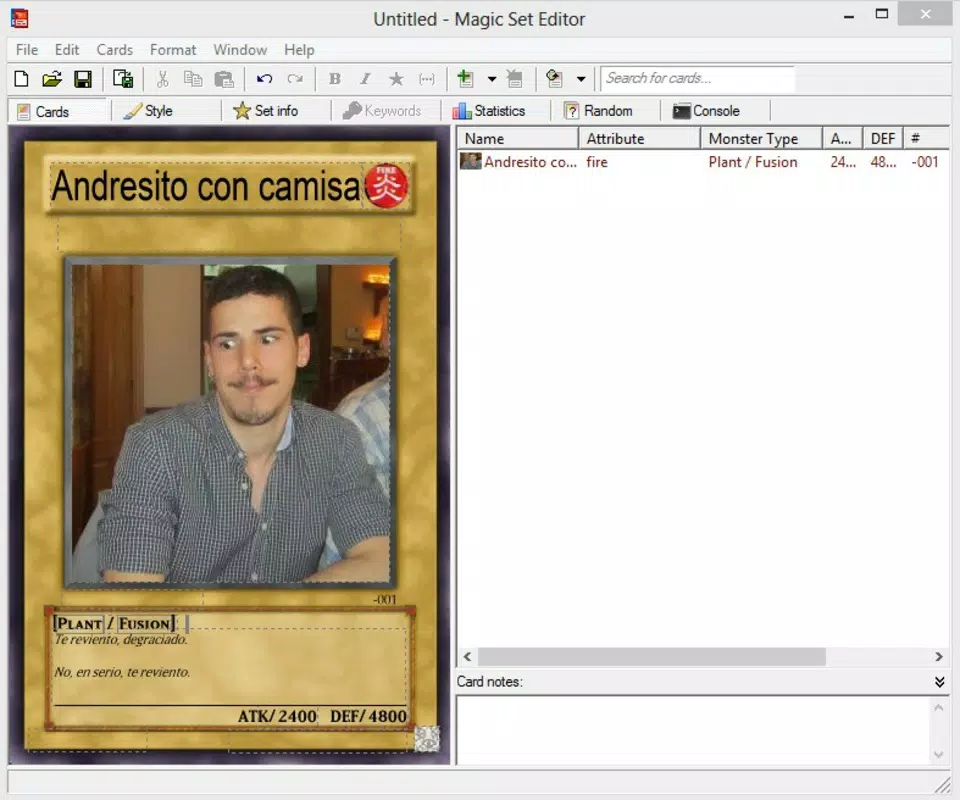
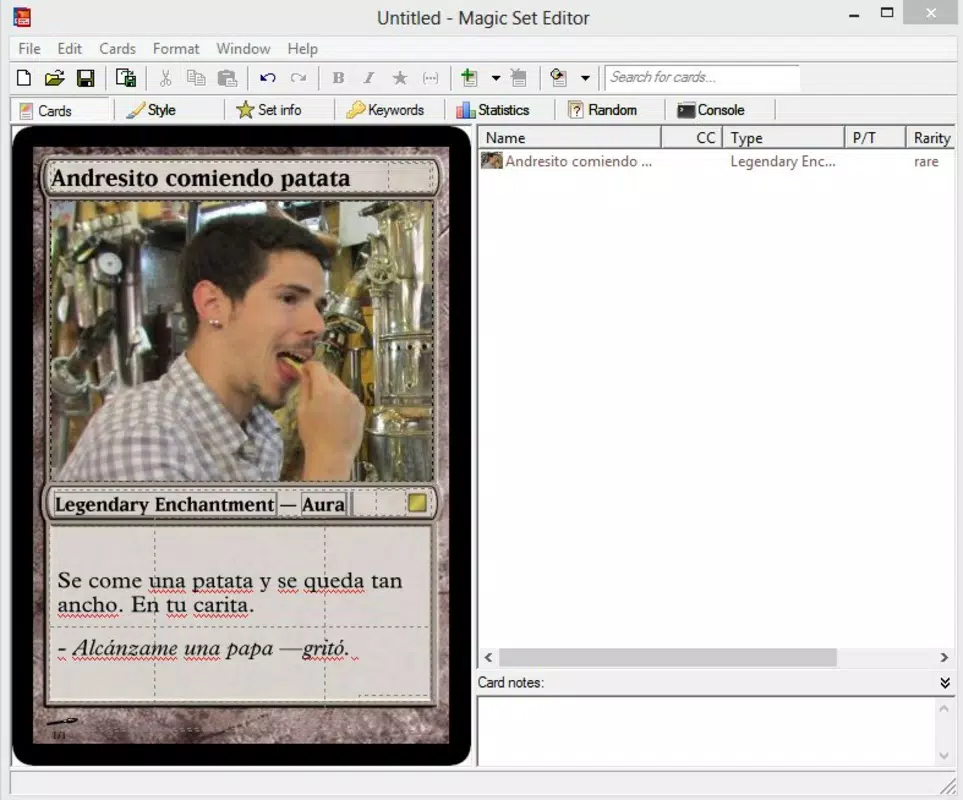
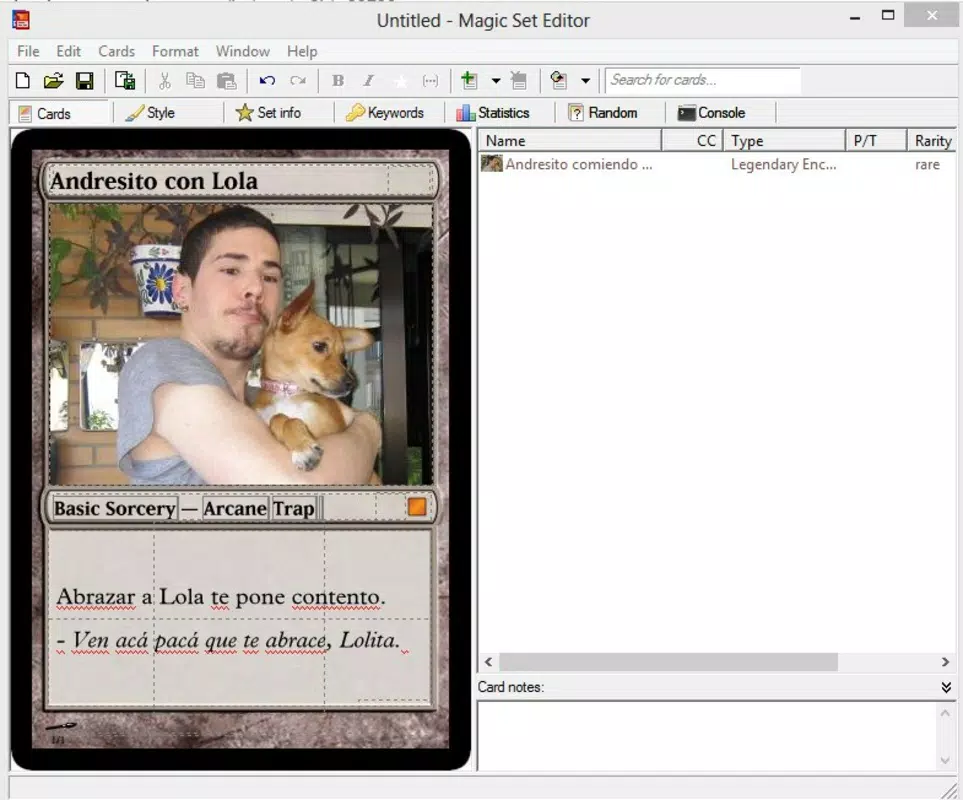
- Intuitive Card Creation: Users can easily fill in card fields and customize core elements such as name, mana cost, type, power/toughness, and abilities. Double-clicking any section allows for smooth insertion of text, images, or symbols, streamlining the design process and reducing friction during content creation.
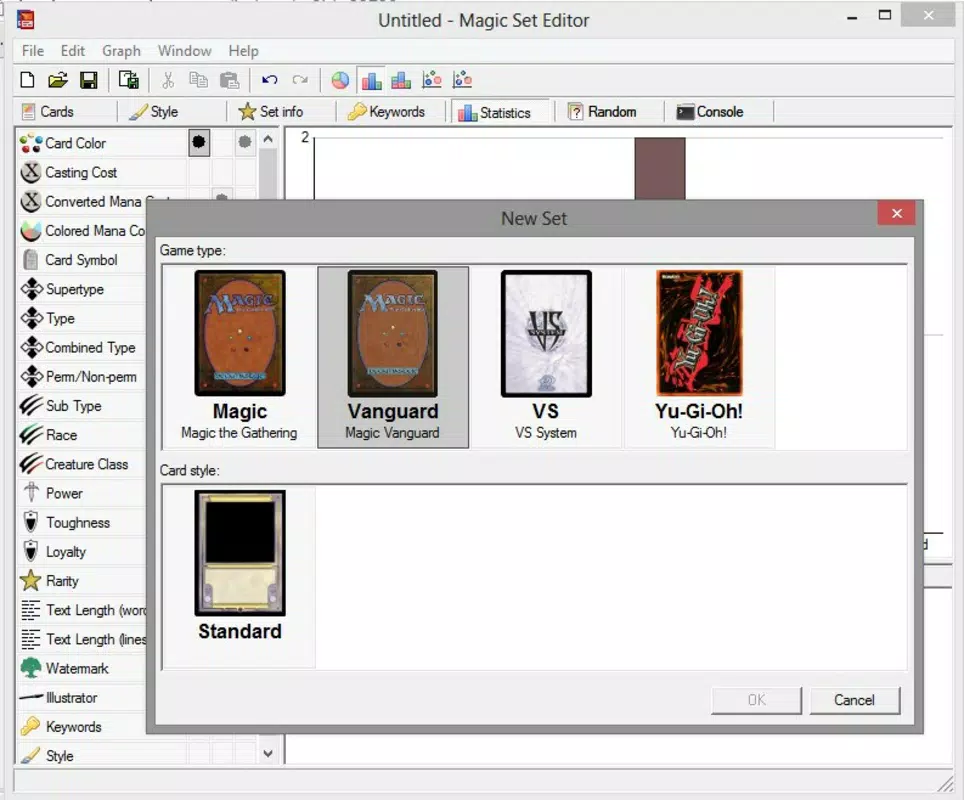
- Multi-Game Support: The app includes templates and formatting rules for multiple popular card games, enabling seamless transitions between Magic: the Gathering, Yu-Gi-Oh!, and other systems. This flexibility allows users to adapt their designs to different game mechanics and visual standards.
- Local Deck Storage: Created cards can be saved directly to the user’s hard drive, allowing for organized storage and retrieval of custom decks. This feature supports long-term project management and easy access during casual gameplay sessions.
- Non-Competitive Use Only: The app explicitly states that user-generated cards are not valid for official tournaments or sanctioned events. This limitation ensures that the tool remains a creative outlet without undermining the balance or structure of official game ecosystems.
- Customization for Personal Use: From card layout to artwork placement, the editor offers granular control over visual and mechanical aspects. This supports deep personalization, making it ideal for fans who want to craft unique narratives or mechanics within their own gaming worlds.
For example, a user might create a custom Magic: the Gathering card with a unique mechanic that references a favorite book series, then save it for use in a homebrew campaign. Another might design a set of Yu-Gi-Oh! cards with custom artwork for a themed birthday party game. These use cases highlight the app’s role as a creative enabler rather than a competitive tool.
Interface, UX & Performance
The user interface of Magic Set Editor is described as straightforward and minimalistic, prioritizing functionality over visual flair. The layout is structured around a central workspace where card elements are displayed and edited in real time. Navigation is based on a linear workflow: users select a game template, fill in card fields, and preview the result before saving. This design reduces cognitive load and supports quick onboarding, especially for users with no prior experience in game design.
Visual style emphasizes clarity and readability, with clean typography and consistent spacing. The editor avoids clutter by grouping related fields and using collapsible sections. Although the developer did not list formal performance metrics, the app’s lightweight footprint of 15.6 MB suggests efficient resource usage. It is expected to run smoothly on standard Windows systems, even on lower-end hardware.
Responsiveness is consistent across typical use cases, with minimal lag during text input or image insertion. Stability appears reliable based on the app’s long-standing availability since 2021. The absence of reported crashes or bugs in public forums indicates a mature and well-maintained release. However, the developer did not specify minimum OS requirements or compatibility details beyond the platform.
Platform Compatibility & Technical Requirements
Magic Set Editor is designed for the Windows platform and runs on the latest versions of the operating system. The current version is 2.2.2, with a file size of 15.6 MB, making it a lightweight application suitable for quick installation and minimal storage impact. The app is available at no cost, with no in-app purchases or subscription models.
Although the developer did not specify minimum OS requirements, the app’s compatibility with modern Windows systems is implied. Users should ensure their system meets standard Windows 10 or 11 specifications for optimal performance. The developer did not disclose details about hardware requirements, driver dependencies, or background processes.
Compatibility information was not fully disclosed. Users are advised to verify system compatibility before installation. The app is not available on Android or iOS, and no mobile version has been announced. The lack of cross-platform availability limits accessibility for users on non-Windows devices.
Pros and Cons
Pros
- Free to download and use with no hidden costs
- Lightweight size (15.6 MB) ensures fast installation
- Supports multiple card game systems, increasing versatility
- Intuitive interface suitable for non-technical users
- Enables offline storage and organization of custom decks
Cons
- Not available on mobile platforms (Android or iOS)
- App is limited to Windows OS only
- Specific system requirements were not listed
- Created cards are not valid for official competitions
- No cloud sync or backup functionality
FAQ
Is Magic Set Editor safe to download?
The app is available for free and is hosted on official developer channels. As with any third-party software, users should download from trusted sources to ensure security.
Can I use cards created with Magic Set Editor in official tournaments?
No. Cards generated with the app are intended for personal and non-competitive use only. They are not approved for use in official Magic: the Gathering, Yu-Gi-Oh!, or other sanctioned events.
Does Magic Set Editor support mobile devices?
Currently, the app is only available for Windows. There is no official Android or iOS version, and no mobile compatibility has been announced.
How do I update Magic Set Editor?
Users should check the official website for updates. The latest version is 2.2.2, and the developer regularly releases patches and improvements.
Can I share my custom cards with others?
Yes. Created cards can be saved to your local drive and shared with friends or game groups for casual play. However, sharing should be done with consent and awareness of the non-competitive nature of the content.
Final Thoughts
Magic Set Editor stands out as a focused, accessible tool for fans of card games who want to explore their creativity without technical barriers. Its clean interface, multi-game support, and offline storage capabilities make it a valuable asset for hobbyists, storytellers, and tabletop enthusiasts. While it lacks mobile availability and official competition support, these limitations are clearly defined and align with its purpose as a personal creative platform.
For users invested in Magic: the Gathering, Yu-Gi-Oh!, or similar systems, the app offers a rare opportunity to design and organize custom content at no cost. Its lightweight design and straightforward workflow ensure a smooth experience across most Windows systems. If you're looking to build a unique deck, experiment with game mechanics, or simply have fun creating fantasy cards, Magic Set Editor delivers real value.
Download Magic Set Editor now


